Brave Manager · SaaS · B2B Productivity · Desktop · 2025
(00) Overview
Hypotheses tested
User interviews
A/B win rate uplift
New screens
Role
Product Designer
Goal
Improve usability
and retention
Scope
Screens in Figma aligned with
the existing design system
Validation
A/B test on a focus group

(01) Task
Goals: make the interface easier to navigate, retain more users by reducing friction and simplify everyday workflows.
Designer scope: produce screens in Figma aligned with the existing design system, accounting for the product’s functionality and team needs.
(02) Problem
01
Disorientation in the interface
New users had trouble navigating, exploring functionality on their own, and configuring projects. The onboarding was steep and unguided.
02
Ineffective kanban system
The kanban lacked a clear methodology, and tracking task status was difficult: managers couldn’t see at a glance where each task stood.
(03) Process
The project ran end to end: from understanding the brief and analyzing competitors, through interviews and user journey mapping, to prototyping, usability testing and A/B validation with a focus group.
01
Brief analysis and follow-up questions to the stakeholder
02
Market research and competitor analysis
03
Idea generation and v.1 hypotheses
04
Studying the current user journey
05
Re-generating hypotheses based on the real product’s user flow
06
User interviews
07
Building user flow incorporating analyzed data
08
Prototyping current solution and aligning with UI kit
09
Prototype testing with users (A/B test)
10
Refining the prototype, finalizing design solution
(04) Competitive analysis
I analyzed how mature platforms handle onboarding, kanban methodology, task creation and time tracking. Each had strengths to learn from and weaknesses to avoid.
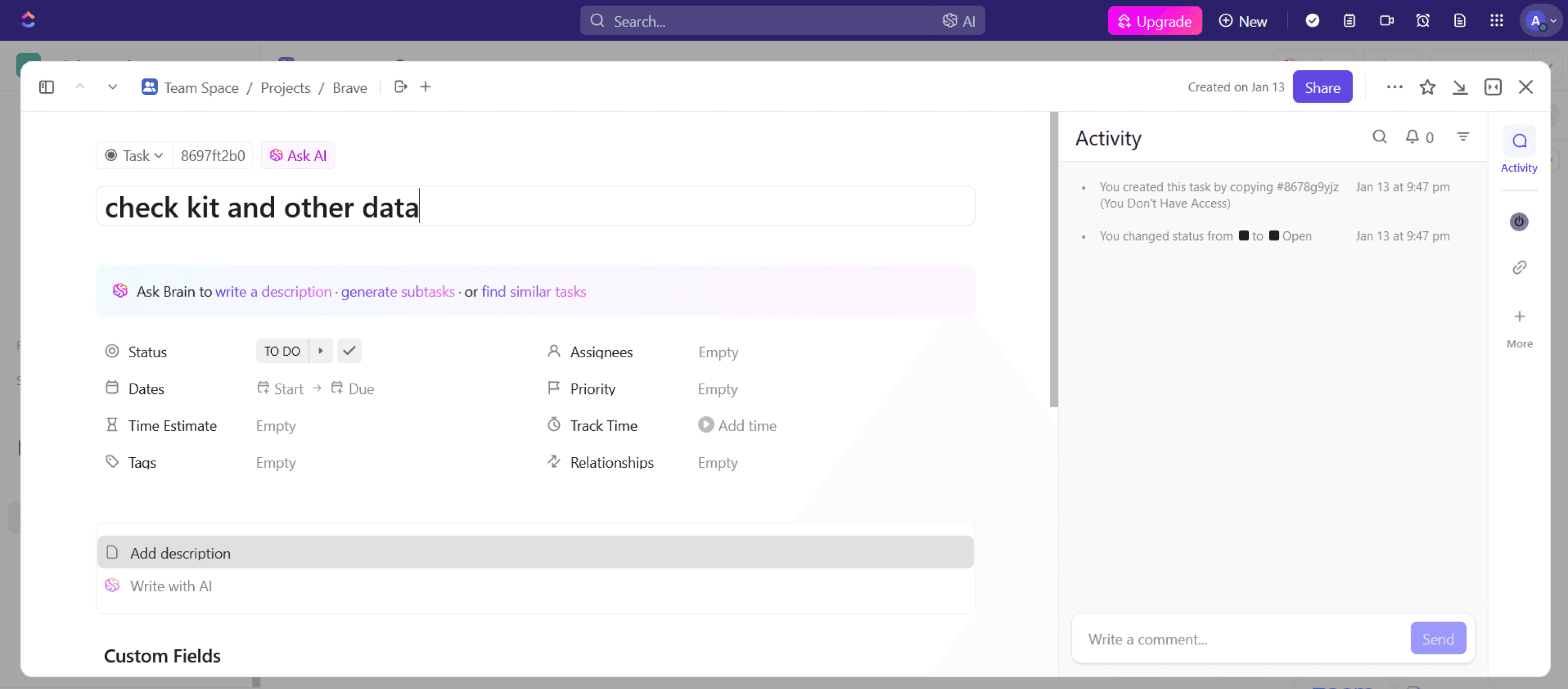
ClickUp
4.7 · 4,000+ reviews
Versatile platform with strong customization. Users praise flexibility but find the interface overwhelming for new joiners.
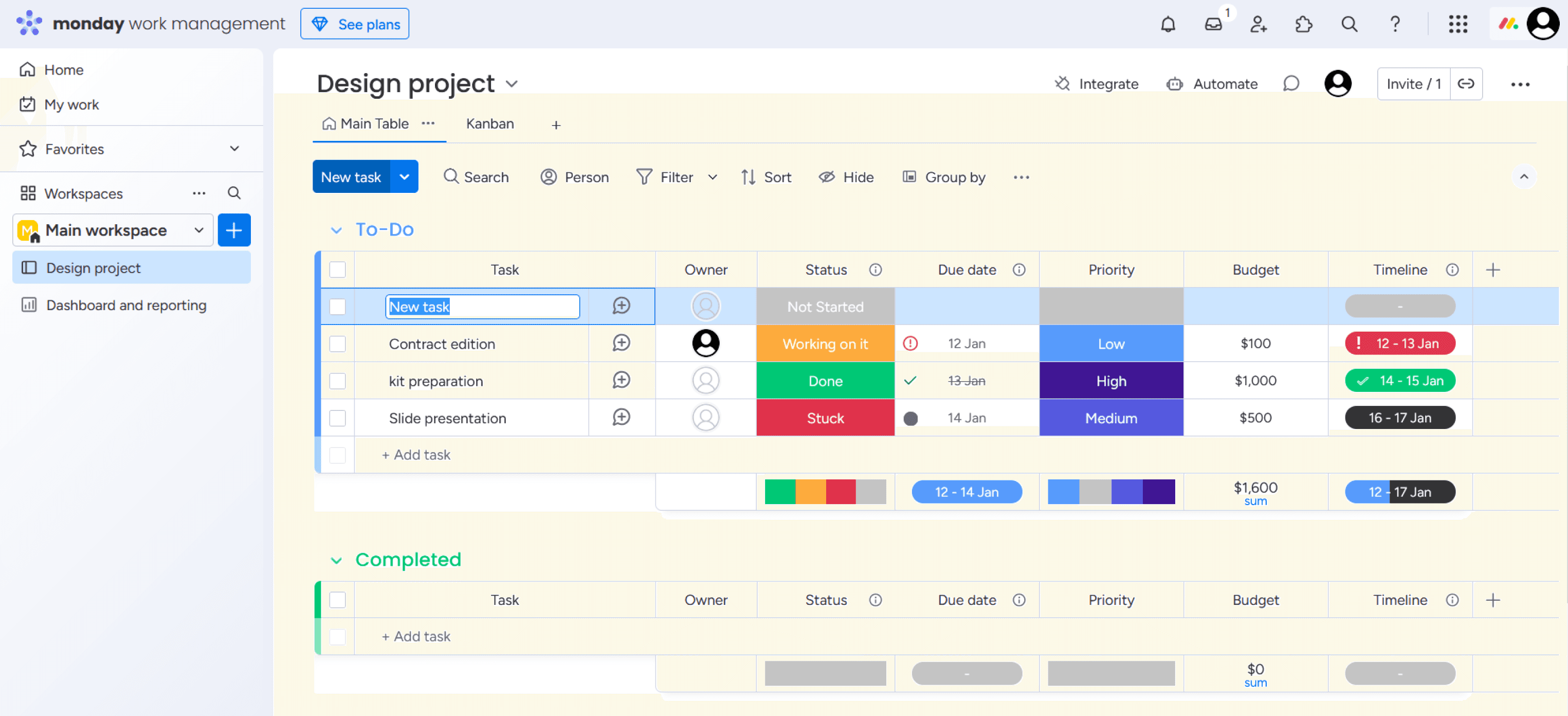
Monday
4.6 · 2,400+ reviews
Visually appealing and flexible. Users find configuration steep, but the visual planning tools are well-loved.
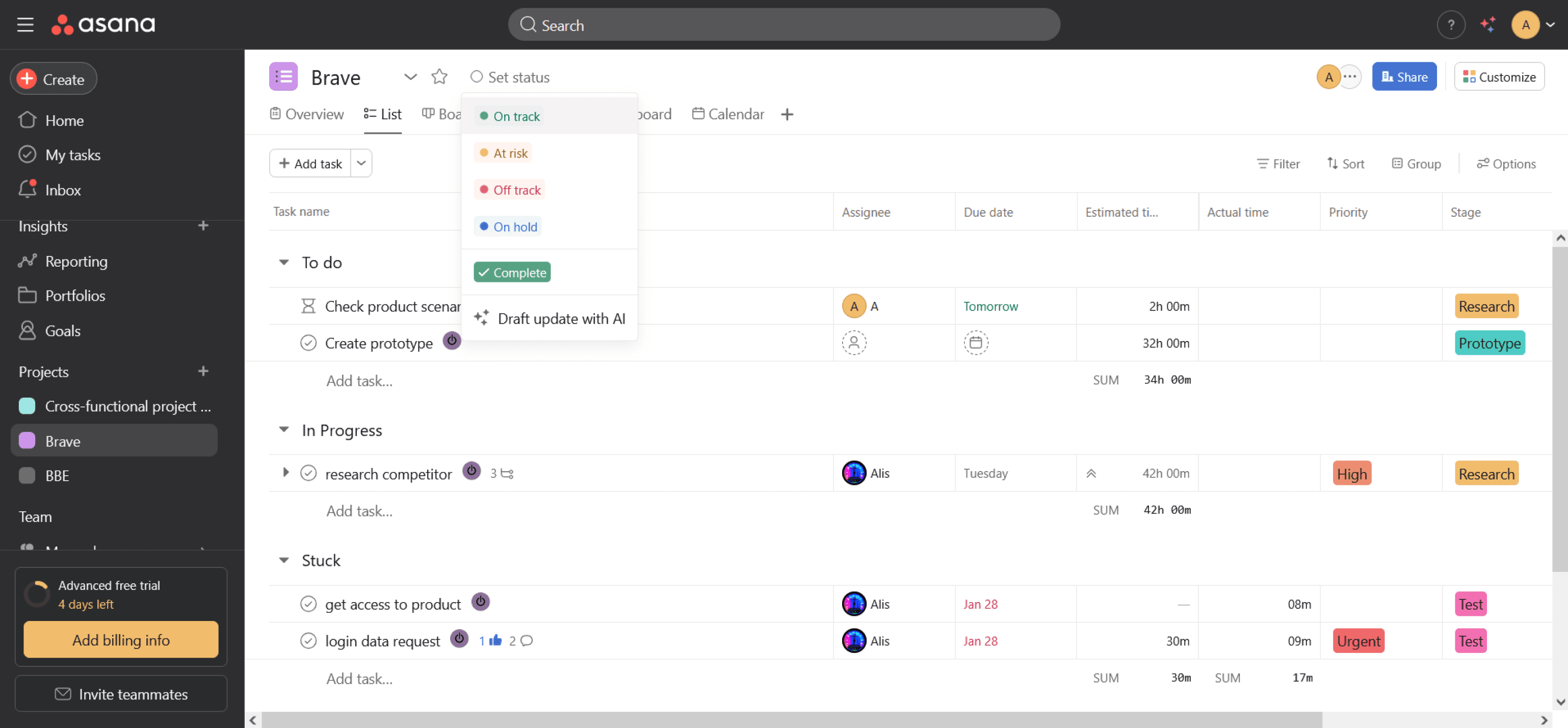
Asana
4.4 · 6,000+ reviews
Praised for intuitive UI and ease of use. Some users note limited capabilities for complex projects.
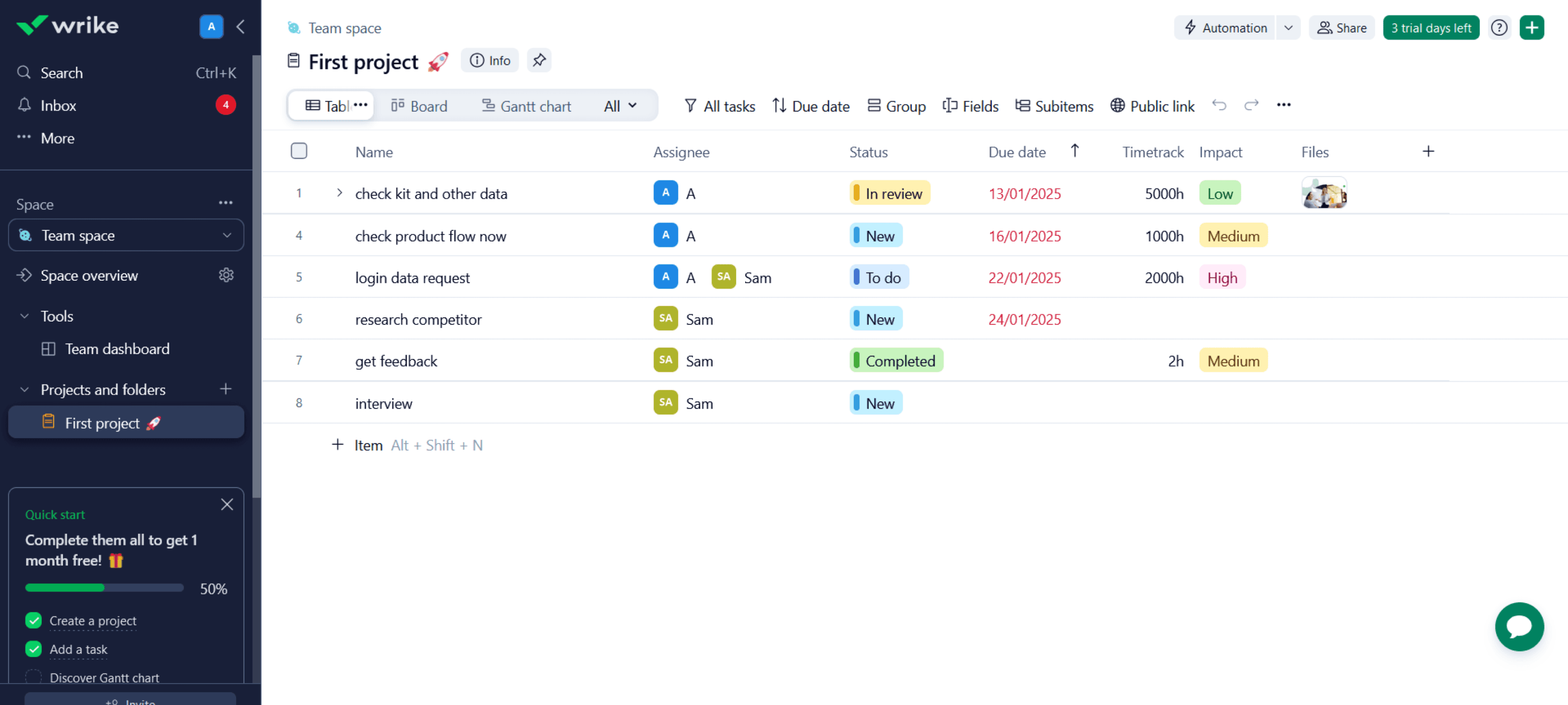
Wrike
4.2 · 1,700+ reviews
Strong for medium and large companies with broad features. Some feel the interface is dense for new users.
(05) Hypotheses · v.1
The first round of hypotheses was based on the brief and competitor patterns. Some held up after testing, others were replaced once access to the real interface was provided.
01
Improve kanban with task stages and visual statuses
Will raise productivity by 20% by making task progress glanceable.
Validated → moved to v.2
02
Add an AI assistant for repetitive task creation
Will cut task creation time by 30% via templates and smart suggestions.
03
Onboarding with interactive hints
Will improve new user retention by 15% during the first week.
Validated → moved to v.2
04
Flexible filter system on the kanban
Will simplify finding tasks and improve handling speed by 25%.
Validated → moved to v.2
(06) User journey study
After analyzing the user journey, I found a lot of questions and points to research further, based on direct user pain.
01
“Stage” is an ambiguous concept
The entity called “Stage” was used both as a task status (research, design, dev) and a project phase. Users couldn’t tell them apart; even PMs needed clarification.
02
Timer behavior breaks expectations
Starting a second task’s timer silently dropped the first one. Stopping required filling in a “work type” field that users had never created. Both flows interrupted real work.
03
Statuses only become clear in kanban view
Users only realized “Stages” meant task statuses after switching to the kanban — a discovery that should happen during onboarding, not by accident.
04
Project and task creation feels rigid
Project creation always required a number ID, and tasks could only be created with a name, but users wanted to fill in details right away, not jump back to edit.
Current user journey · task flow 1, manager
01
Home
→ selects ‘New Project’
02
New project creation
title, number, manager, budget
→ fills in the fields, clicks add
Number ID is required
03
Project list
table with budget, dates and statuses
→ enters the project
04
Project structure creation
stage, template, import
→ clicks ‘+Stage’
05
Stage addition
→ names it, clicks ‘Add’
06
‘Stages’ list
= list of task statuses
→ clicks ‘+task’
“Stage” is a status and a phase
07
Task addition
name only
→ clicks the task itself
Details only come later
08
Task editing
description, files, priority, date, estimate, budget
→ describes, adds files, starts timer, closes
↳
Subtask creation
title, assignee, priority, date, estimate · branch from 08
→ close task = save changes → 09 Task list
09
Task list
with switch to kanban view
→ drags the task to “in progress”, enters it
10
Task screen
description, priority and timer
→ comments on the estimate
↳
Time-saving & work type
work type selection · branch from 10, after “Timer”
→ drags the task to done → 13 Task list
Asks for a work type nobody created
11
Task screen
comments in the thread
→ clicks ‘Complete’
12
Same screen
green ‘Complete’ button
→ clicks Close
13
Task list
task moved to ‘Completed’
(07) Hypotheses · v.2
The second round of hypotheses was based on the real user flow. Four hypotheses were added for further testing.
01
Adjusting the project and task creation scenarios
More intuitive naming and data when creating a “Stage” will reduce the average time users spend creating projects, statuses and tasks by 15%.
02
A continuous timer with quick start
A global timer at the application level will increase time tracking accuracy by 20% by reducing forgotten or unfinished timers.
03
Additional fields for task creation
More fields when creating a task will shorten the time to start work by 10% by reducing the need for clarifications later.
04
Visual highlighting for high-priority tasks
Highlighting high-priority and urgent tasks will reduce response time by 15% and decrease overdue critical tasks by 10%.
(08) Interviews
I ran the interviews myself: a 10-question script covering how people track tasks, where they get stuck, how they prioritise and what slows them down. The script moved from warm-up into specifics: creating projects and tasks, the timer, prioritisation, cross-project boards, planning around vacations, and what feels redundant. Then I synthesised the answers into themes.
“
Onboarding & clarity
The stages are confusing: it’s not clear where the files, the description, the manager or the subscribers are.
“
A unified board
We need one task board that works for both manager and employee, filter by project, with priorities shown clearly.
“
Priorities unreadable
Priorities are hard to tell apart, orange and red look the same, and there’s no smart filter by priority or deadline.
“
Timer friction
The timer is complicated: you can’t see when it’s running, it’s hard to stop, and it takes extra steps.
“
Role-based views
There’s too much manager data for performers — budgets, history and expenses distract. Designers shouldn’t see finances.
“
Finding my work
There’s no convenient “My Tasks” filter, it’s hard to quickly find the tasks that are mine.
(09) User flow
Brave Manager has two distinct user roles with different needs. I designed two task flows: one for managers (project creation, planning, status) and one for employees (task pickup, time tracking, status updates).
13
screens · current flow
8
screens · new flow
4 → 1
setup steps before the first task
Current · 13 screens
01
Home
↓ selects ‘New Project’
02
New project creation
Pain
title, number, manager, budget
↓ fills in the fields, clicks add
03
Project list
table with budget, dates and statuses
↓ enters the project
04
Project structure creation
stage, template, import
↓ clicks ‘+Stage’
05
Stage addition
↓ names it, clicks ‘Add’
06
‘Stages’ list
Pain
= list of task statuses
↓ clicks ‘+task’
07
Task addition
Pain
name only
↓ clicks the task itself
08
Task editing
description, files, priority, date, estimate, budget
↓ describes, adds files, starts timer, closes
09
Task list
with switch to kanban view
↓ drags the task to “in progress”, enters it
10
Task screen
description, priority and timer
↓ comments on the estimate
11
Task screen
comments in the thread
↓ clicks ‘Complete’
12
Same screen
green ‘Complete’ button
↓ clicks Close
13
Task list
task moved to ‘Completed’
New · 8 screens
01
Home
↓ selects ‘New Project’
02
New project creation
H1
name, manager, participants, budget, dates, client, statuses, structure
↓ fills in fields, only name is required, clicks “Create”
03
Project screen
a table, tasks are added right here
↓ clicks “Add task”
04
Task editing
H3
description, files, priority, date, estimate, assignee, status, stage
↓ describes, adds files, closes
05
Task list
with switch to kanban view
↓ clicks Kanban
06
Kanban board
H4
tasks with their statuses
↓ switches to the Overview tab
07
Project stages
with created tasks
↓ clicks Projects in the left menu
08
All projects’ tasks
in kanban
Task flow 2 · employee
01
Kanban board
tasks with their statuses
→ drags a high-priority task to “in progress”, enters it
02
Task screen
description, priority and timer
→ fills in the estimate, starts the timer, closes the task
03
Kanban task screen
with the running timer
→ stops the timer
04
Task list
notification that time is saved
↳
Task screen
description · branch from 03, “enters the task”
→ changes status, writes a comment, stops the timer
↳
Task screen
notification that comment and time are saved
(10) Prototyping
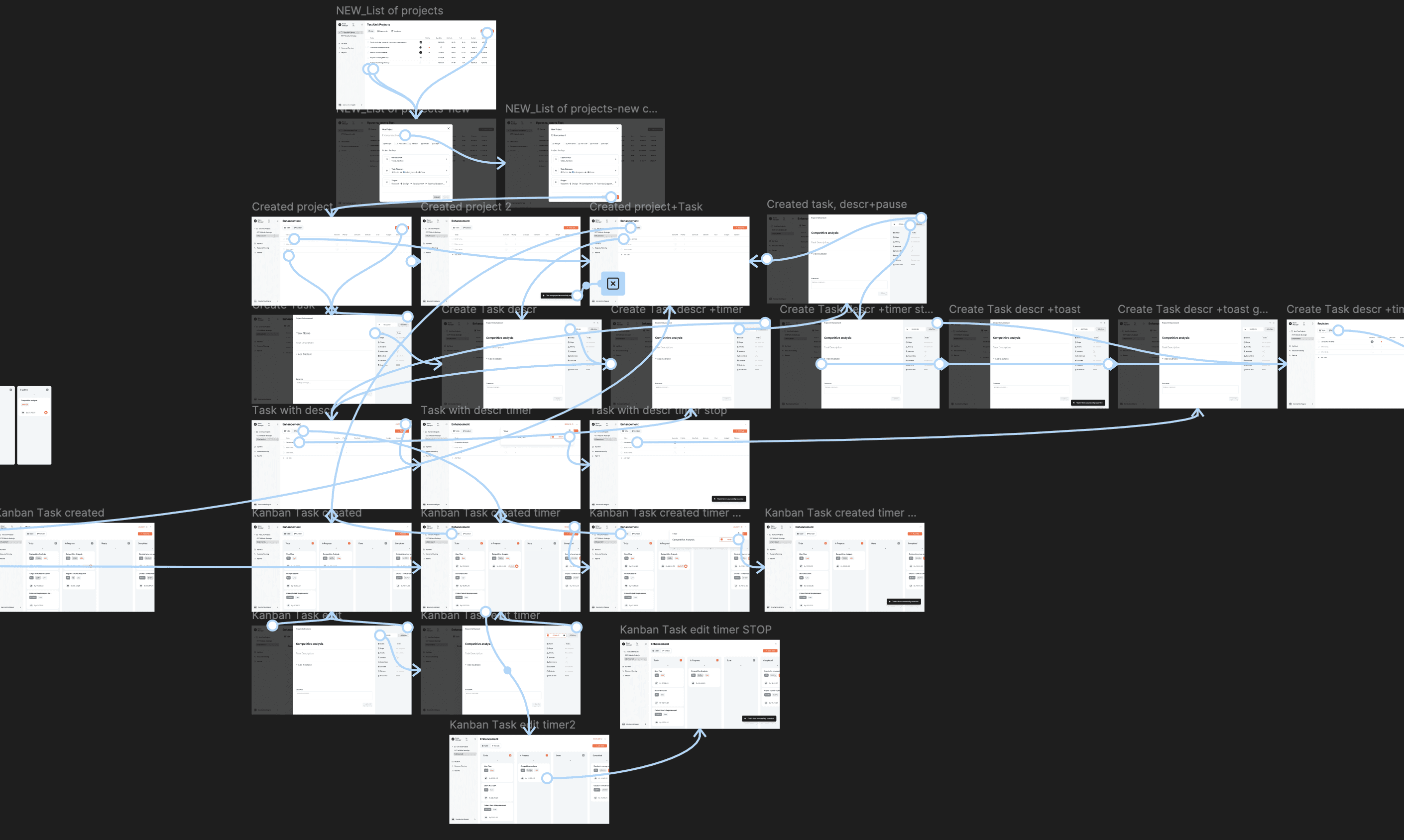
Using the existing design system, I designed 42 screens for the current flow and 27 screens for the new flow I proposed, to use as prototypes for A/B tests. I also extended the design system with new components, following the existing patterns and styles.

Design System
New flow
(11) A/B testing
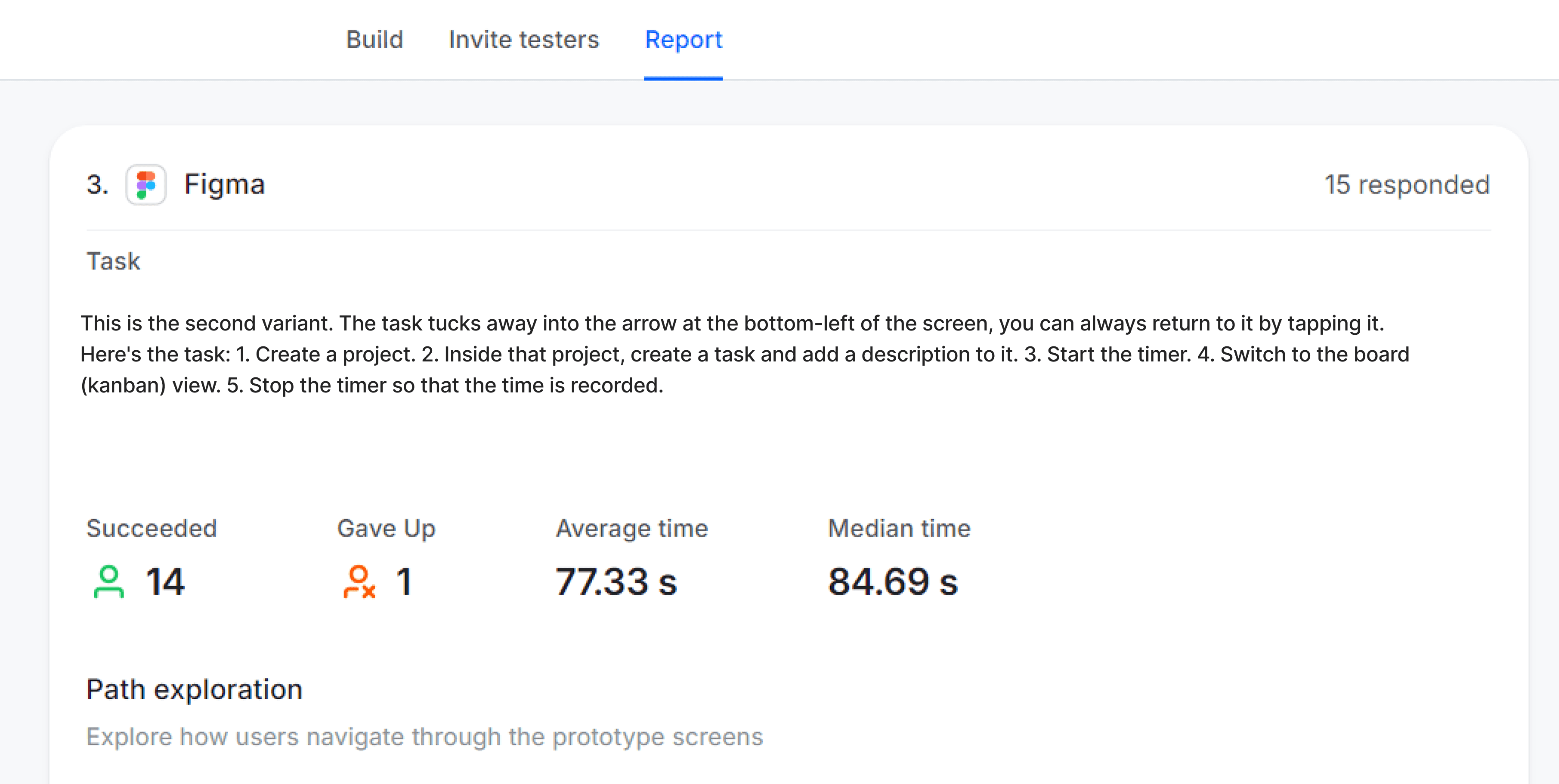
Both variants used the same task scenario: create a project, add a task with a description, run a timer, switch to kanban view, stop the timer. The new variant streamlined steps and exposed the timer globally, and the impact on task completion was substantial.

Current variant
New variant
Task completion rate
Current
8 / 15
New
14 / 15
Average completion time
Current
222.98 s
New
77.33 s
“Which scenario was easier?”
Current
14% (1)
New
86% (6)
“Which task cards were clearer?”
Current
0% (0)
New
100% (13)
(12) Solution
The new project creation modal collapses what was previously a multi-step flow into a single, scannable screen, with optional fields surfacing relevant defaults and clearly named status presets in place of the ambiguous “Stage” entity.